
On this page
- Start here: requirements and Free versus Pro
- Installation and updates
- Activate, refresh or move a license
- Create your first rule
- Choose the audience: one item, several or all
- Conditions, AND / OR and priorities
- Triggers reference
- Actions reference
- Dry-run testing and going live
- Activity, saving and troubleshooting
- Webhooks and developer actions explained
- Changelog — Free and Pro
Start here: requirements and Free versus Pro
Smart Rules for LearnDash automates learner workflows using four building blocks: an event, an audience, conditions and actions. The free plugin supplies the core engine. Pro is an additional plugin that adds advanced triggers, actions and dry-run previews.
- WordPress 6.7 or newer and PHP 8.2 or newer.
- LearnDash LMS installed and active; LearnDash is sold separately.
- Free base version 1.0.1 and Pro version 1.0.0 are the current public packages.
- Administrator access to create or change rules.
Free automations do not require a key. Pro execution requires a valid WooCrafters license. This is an independent WooCrafters integration, not an official LearnDash product.
| Capability | Free | Pro add-on |
|---|---|---|
| Core LearnDash completion and access triggers | Included | Uses free base |
| Named audience filters and AND / OR conditions | Included | Uses free base |
| Course enrollment and learner email | Included | Uses free base |
| Registration, sign-in, group and scheduled triggers | – | Included |
| Group and role changes, webhooks and developer actions | – | Included |
| Administrator and group leader email | – | Included |
| Dry-run previews | – | Included |
| License key | Not required | Valid WooCrafters key required |
| Store download | Sign in; no order required | Completed order required |
Installation and updates
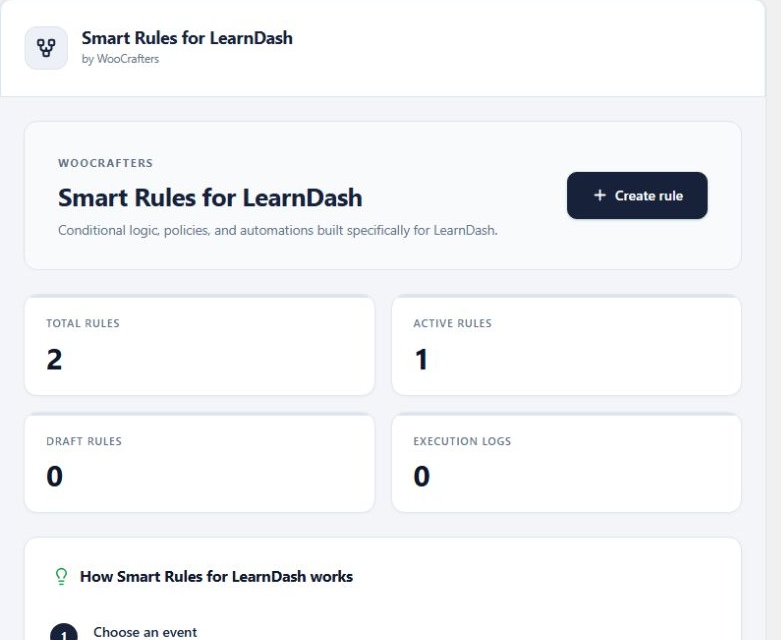
Free: install and activate LearnDash LMS, then upload the free wc-crafters-rules-for-learndash ZIP. Its WordPress.org slug and text domain are retained for directory compatibility.
Pro: keep the free base active, upload smart-rules-pro-1.0.0.zip, activate Smart Rules for LearnDash Pro, and activate your WooCrafters license in License. The free base is version 1.0.1; Pro is version 1.0.0.
Replacing a pre-launch copy: deactivate the older rules-for-learndash or rules-for-learndash-pro copy first. Do not delete plugin data or activate duplicate copies. Existing rule and setting identifiers are preserved. Older higher-numbered development builds need a manual package replacement.
Activate, refresh or move a license
- Purchase the site count and term you need. Once the store completes your order, use the key associated with the order in your customer account or order email.
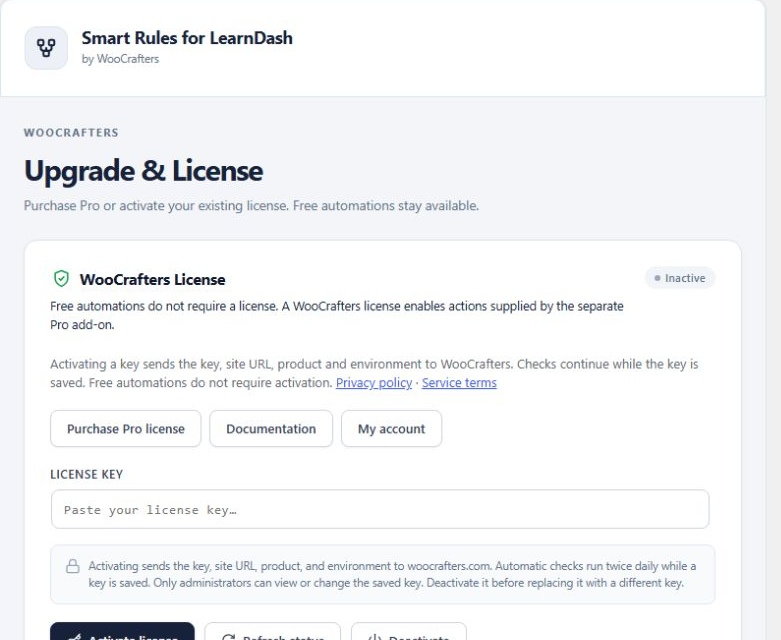
- Open License. Enter the key and choose Activate.
- Check the status and expiry information. Use Refresh status after a renewal or entitlement change.
- Before moving to another site, deactivate the key on the old site to release that activation, then activate it on the new site.
Annual licenses last one year; renewal is manual. Lifetime keys have no scheduled expiry. Site limits are 1, 3 or unlimited, depending on the purchased variation. A LearnDash license is separate from your WooCrafters license.
Activation sends the key, site URL, product and environment to WooCrafters over HTTPS; checks continue while a key is saved. See our privacy policy and terms. Never post your key in a public ticket.
If Pro is unavailable or unlicensed, premium execution stops. The free features remain available. Dry-run resets to off and its control is disabled when Pro or its license is unavailable. Free rules can continue live execution; disable the engine or keep rules in Draft if you want to pause them.
The saved key is shown in an administrator-only text field. Enter the 32-character WooCrafters key. Deactivate a valid saved key before replacing it. Invalid or missing keys can be replaced directly. Refresh status updates the current status, expiry, remaining activations and last-check time.
Create your first rule
Example: enroll a successful learner in the next course after a quiz.
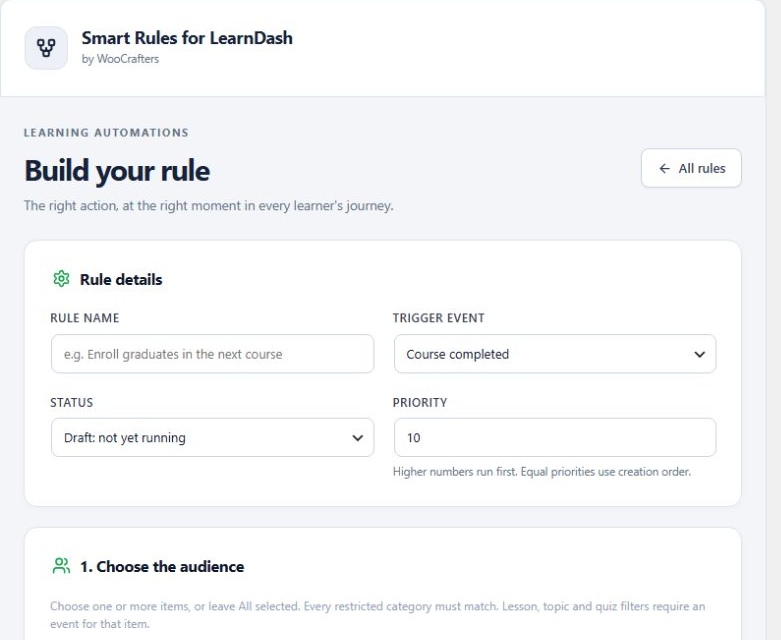
- Open Rules → Create rule and give it a clear name, such as “Final quiz → next course”.
- Choose Quiz completed as the event.
- Under the audience, select the final quiz by title.
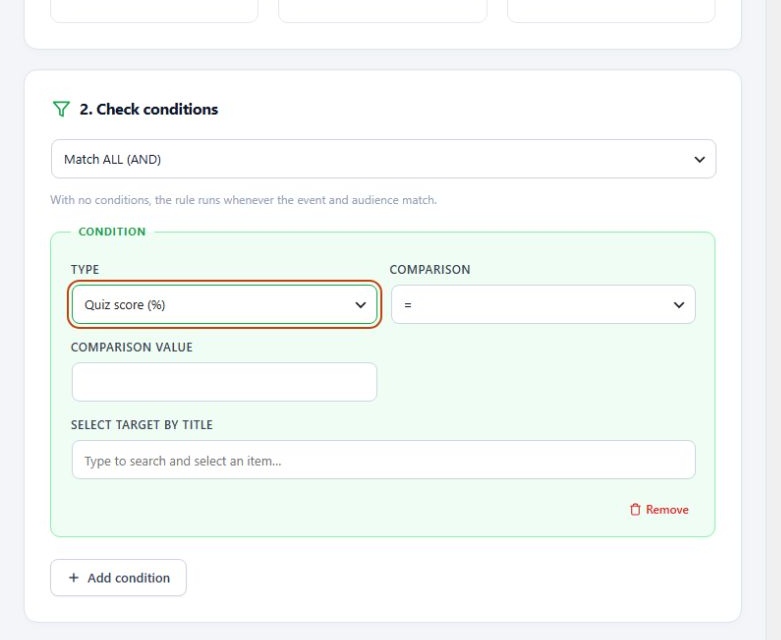
- Add the Quiz score condition with ≥ and 80. Optionally also require Quiz passed = 1.
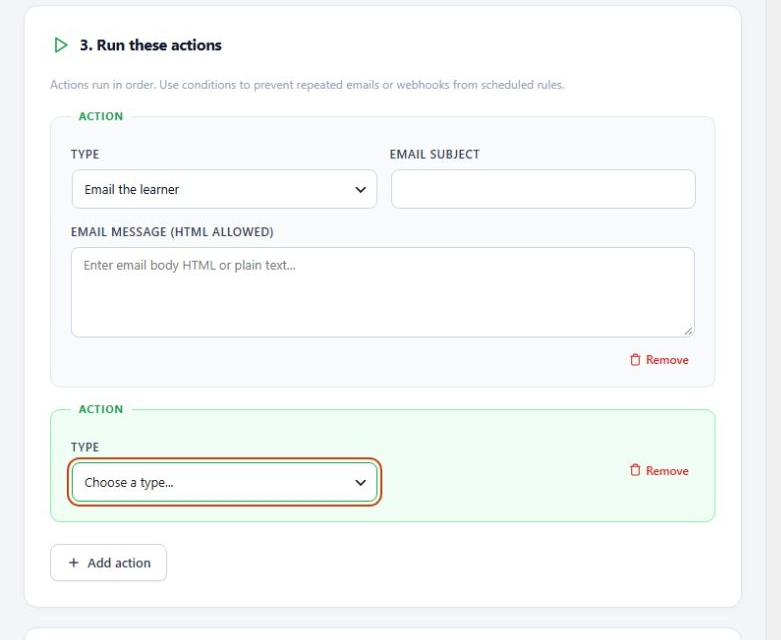
- Add Enroll in course and select the destination course. Add Email the learner as a second action if needed.
- Keep the rule in Draft while reviewing it. Save; dismiss the success dialog to return to All Rules.
- Test with a controlled learner on staging, inspect Activity, and activate the rule when ready.
Actions run in their configured order. Higher priority rules run first. Stop processing prevents later matching rules in that event from running; it does not undo an action already taken.
Choose the audience: one item, several or all
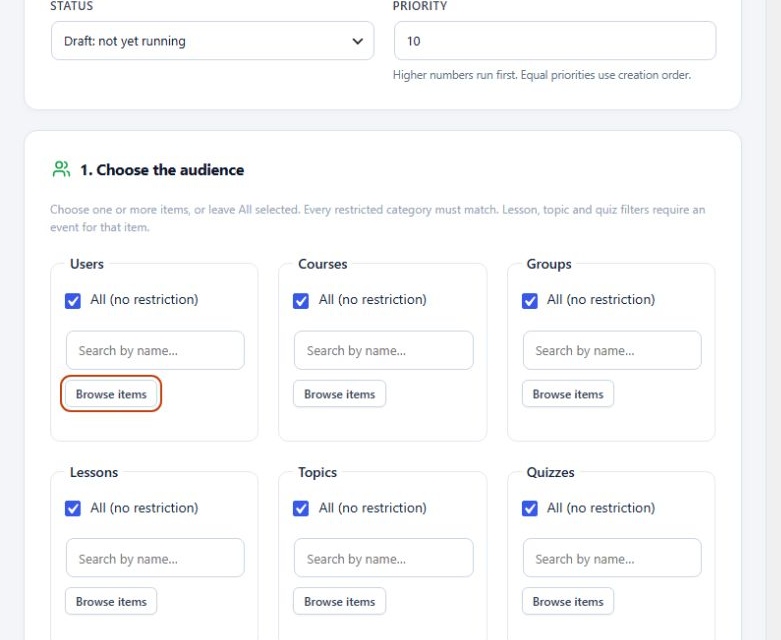
Search and select users, courses, groups, quizzes, lessons and topics by name. Choose a single item to target only that item, select several to match any selected item in that category, or leave All selected for no restriction.
Restrictions across categories combine: if both a course and quiz are selected, the event must match both. Missing context fails the restriction. A sign-in or scheduled event does not contain a quiz or lesson, so those scopes will not match it.
For a single lesson, use Lesson completed and select that lesson. For one quiz, use Quiz completed and select that quiz. Select action destinations separately: an audience course filters the event; it does not automatically become an enrollment destination.
Conditions, AND / OR and priorities
Conditions check whether an event qualifies. Available checks cover user roles, a specific user, group membership, course access/completion/progress, quiz score/pass, user metadata, site date and whether course access was removed.
- AND: every condition must match.
- OR: at least one condition must match.
- Numbers: use percentage values such as 80 for quiz scores or progress.
- Dates: use YYYY-MM-DD and the site timezone.
- Boolean values: use 1 for yes and 0 for no when the field requests it.
Choose comparisons that fit the data: equals/not equals, greater/less than, contains/not contains. Quiz conditions need quiz context. Review priorities when several rules can match the same event. Rule execution is not transactional; a later failure does not roll back earlier successful actions.
Triggers reference
| Edition | Trigger | Typical use |
|---|---|---|
| Free | Course completed | Enroll in the next course. |
| Free | Lesson / topic completed | Send a follow-up at a specific learning step. |
| Free | Quiz completed | Act on quiz score or pass status. |
| Free | Course access changed | Respond to an enrollment or removal. |
| Pro | User registered / signed in | Welcome eligible learners. |
| Pro | Group added / removed | React to cohort membership changes. |
| Pro | Scheduled evaluation | Evaluate matching users in batches. |
| Pro | Developer event | Connect a registered integration. |
Scheduled rules repeat rather than run once. Up to 200 users are evaluated per batch, approximately every 15 minutes depending on WordPress cron traffic. Add conditions that prevent unwanted repeated actions. The scheduler is not an exact-time delivery service.
Actions reference
| Edition | Action | What to configure |
|---|---|---|
| Free | Enroll in course / remove course enrollment | Select the destination course by title. |
| Free | Email the learner | Subject and message for the matching user. |
| Pro | Add to group / remove from group | Select the LearnDash group. |
| Pro | Add role / remove role | Choose an allowed learner role; administrator escalation is blocked. |
| Pro | HTTPS webhook | An authorized public HTTPS receiver. |
| Pro | Registered developer action | A named action registered by a developer. |
| Pro | Email site administrator | Subject and message for the site administrator. |
| Pro | Email group leaders | Group, subject and message; the group needs assigned leaders. |
Add multiple ordered action rows for multiple destinations. Email uses WordPress wp_mail and your configured mail transport; a successful handoff does not guarantee inbox delivery. Enrollment removal does not necessarily remove access granted through another group or integration.
Dry-run testing and going live
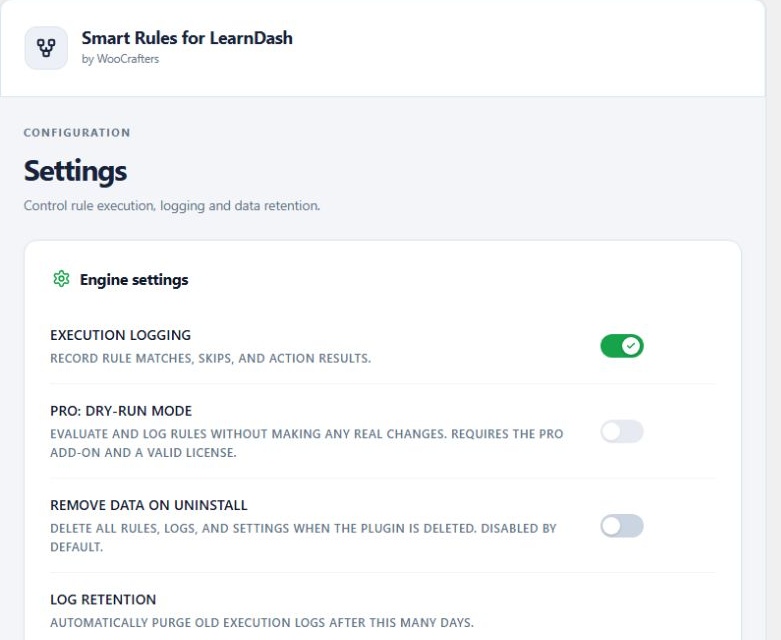
Dry-run requires licensed Pro. In Settings, enable Dry-run and save. Trigger the event with a test learner, then inspect Activity for simulated actions. Dry-run avoids the supported action side effects; it is not a replay tool and does not manufacture a LearnDash event.
- Confirm your intended audience and event.
- Use staging and a controlled learner.
- Inspect matches, skips, simulated actions and errors.
- Disable Dry-run and save when you are ready for live changes.
- Run one controlled live test and confirm the actual LearnDash result.
Dry-run is an engine setting, so review all active rules before changing it. If Pro or its license becomes inactive, Dry-run resets to off and is disabled. Free rules can run live; disable the engine or keep rules in Draft when you need to pause all execution. Restoring a license does not automatically turn Dry-run back on.
Activity, saving and troubleshooting
Rules supports AJAX search, status filters and pagination. Save/update shows a success dialog and returns to All Rules when dismissed. Deletion requires confirmation; Cancel preserves the rule.
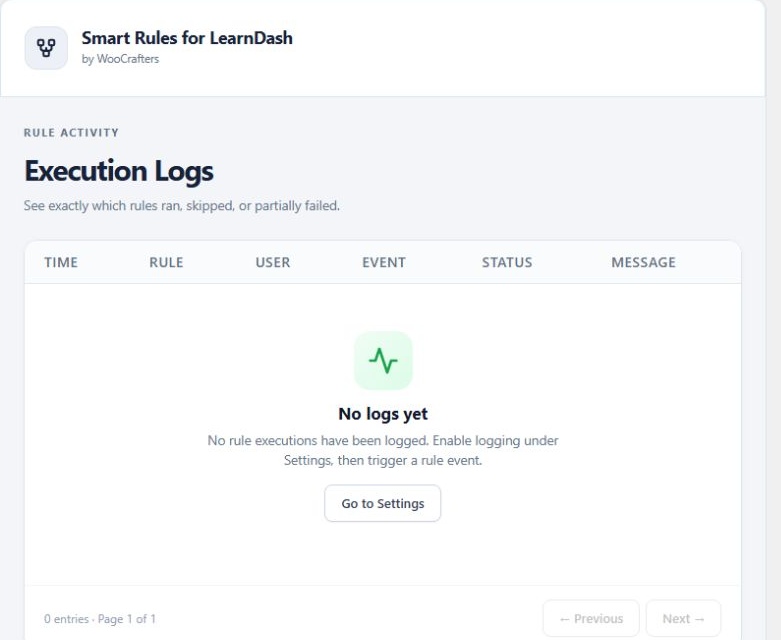
Activity records matches, skips and action results. Enable execution logging in Settings, then search the activity table when diagnosing a rule. Default log retention is 30 days; configure between 1 and 365 days.
- No match: confirm the rule is Active, the correct event fired, all scoped categories match and conditions have the needed context.
- Pro choice unavailable: check that both plugins are active and the WooCrafters license is valid.
- Email not received: test the site mail transport and check spam folders.
- Scheduled rule delayed: check WordPress cron and site traffic.
- LearnDash missing: install/activate LearnDash; the engine stops until the dependency is available.
Send support your plugin, WordPress, PHP and LearnDash versions and steps to reproduce. Remove private learner information and keys from screenshots.
Data removal
Data is retained by default. Remove data on uninstall deletes the current site rules, logs and options when the free base is deleted. Back up first. Deactivation preserves data.
Webhooks and developer actions explained
A webhook sends a small event payload to another service, such as an authorized CRM receiver. Pro sends the learner ID, event name and limited course/quiz/group/lesson/topic context only when an active rule matches. Private/local network destinations and redirects are rejected; use a public HTTPS endpoint.
Choose a receiver you are authorized to use, protect it appropriately and inform learners about the transfer. There is no bundled third-party webhook service and no guarantee that another service accepts this payload. A webhook failure is recorded; delivery is not a durable retry queue.
A developer action is a named integration registered in code by a trusted developer. Administrators choose a registered action rather than typing PHP or arbitrary WordPress hooks. Developers can use documented catalog and lifecycle filters/actions; see the developer guide shipped with the free package. The interface is not a code editor.
Changelog — Free and Pro
Smart Rules for LearnDash Free — 1.0.1
Settings toggles now sit beside their labels. Dry-run resets to off and is disabled when licensed Pro is unavailable. Restoring Pro does not automatically re-enable it.
Smart Rules for LearnDash — 1.0.0
Initial public release. Visual rules, learner-event triggers, conditions, audience targeting, course enrollment and removal, learner emails and execution logs. Free automations do not require a WooCrafters license.
Smart Rules for LearnDash Pro — 1.0.0
Initial public Pro release. Adds registration, sign-in, group-change and scheduled events; licensed dry-run previews; group and safe role changes; HTTPS webhooks; registered developer callbacks; and team notification actions. Requires the free base and an active Pro license.
Existing rules and settings retain their storage identifiers. Deactivate older add-on copies before installing the renamed Pro package.