
On this page
Install and upgrade
Requires WordPress 6.5 or newer and PHP 8.0 or newer. Upload the supplied ZIP through Plugins → Add Plugin → Upload Plugin, then activate Promo Master. Test with your theme and caching setup before deploying. The former promo-master-for-wordpress development folder is now promo-master; disable the old copy before installing the renamed release. Campaigns remain in the existing wc_promotion post type, so they are preserved. Do not activate both copies.
Create your first campaign
- Open Promo Master → Add new. Enter an internal name; visitors do not see this name.
- Choose an announcement banner or modal. Banners can appear at the top or bottom of the page.
- Enter a headline, supporting message, optional terms, and an action label. Choose Open link, Copy code, or Dismiss promotion. Open link requires a complete destination URL; Copy code requires a code.
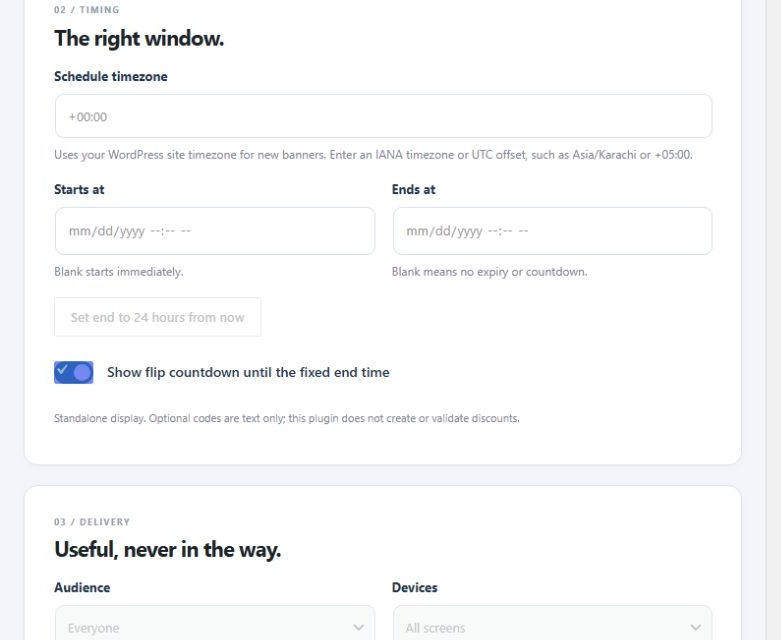
- Choose your timezone and optional start/end dates. Blank start means immediately; blank end means no expiry. “Set end to 24 hours from now” creates a fixed deadline, not a countdown that restarts for each visitor.
- Set audience, device, and URL-path rules. Choose colors and animation. Inspect desktop and mobile previews.
- Enable the campaign and save. Saving or updating returns to All campaigns. The preview deliberately ignores scheduling and targeting; it is not proof that a visitor qualifies.
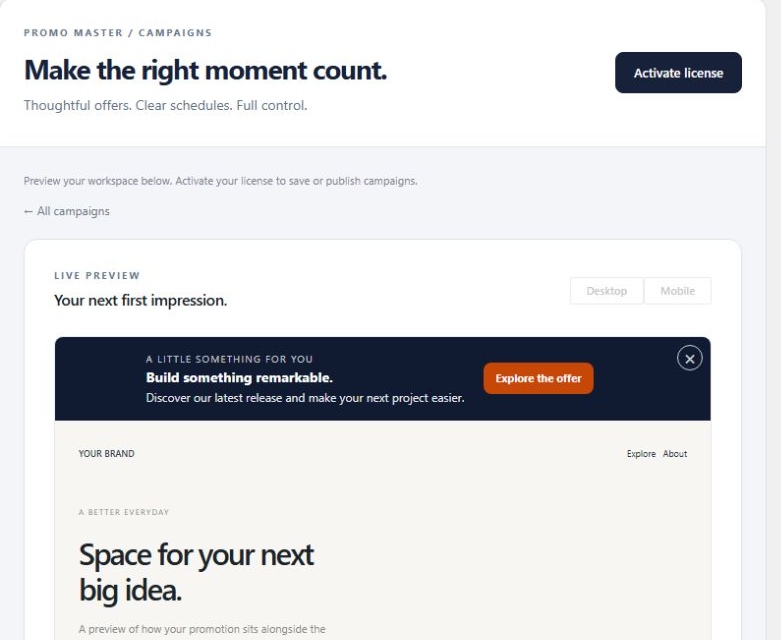
Scheduling and status
Use IANA timezones such as Asia/Karachi or Europe/London, or an explicit UTC offset such as +05:00. IANA zones follow daylight-saving changes. Start time is inclusive; end time is exclusive. Disabled campaigns are Paused, future campaigns Scheduled, eligible current campaigns Active, and expired campaigns Ended. A countdown requires an end time and disappears with the expired campaign. Schedule changes reset previous dismissals.
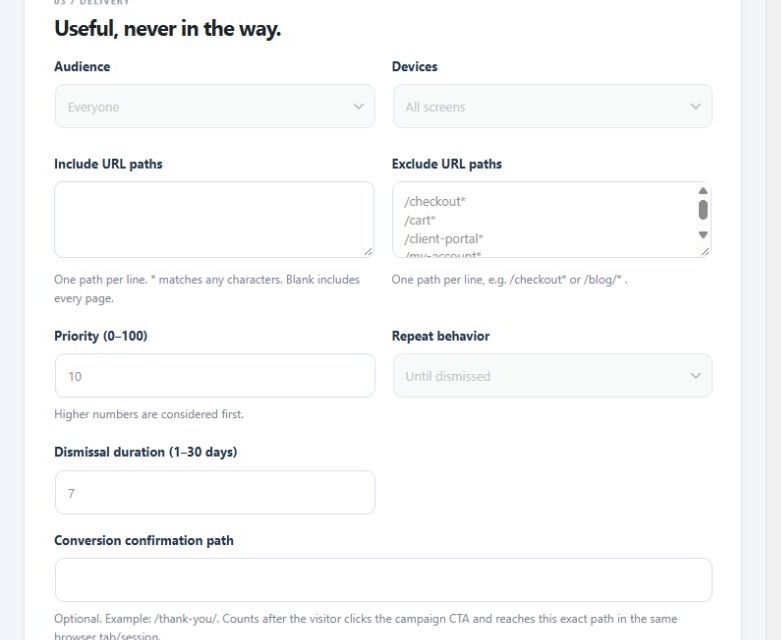
Targeting and delivery
Use one URL path per line. /shop/* includes descendants of /shop/; * matches any characters. Blank include rules allow all paths. Exclusions take precedence. Default exclusions protect checkout, cart, and account pages; change these for your site’s routes. Device breakpoint is 768 pixels. Audience choices are everyone, guests, or signed-in visitors. Higher priorities win. At most one announcement banner and one modal display at once.
Banners may be sticky or flow with the page. Modal triggers include a delay, scroll percentage, and desktop exit intent. Mobile exit intent falls back to the configured delay. Repeat behavior is until dismissed, once per browser session, or every page visit. Dismissal duration is 1–30 days. Browser storage restrictions can affect frequency controls.
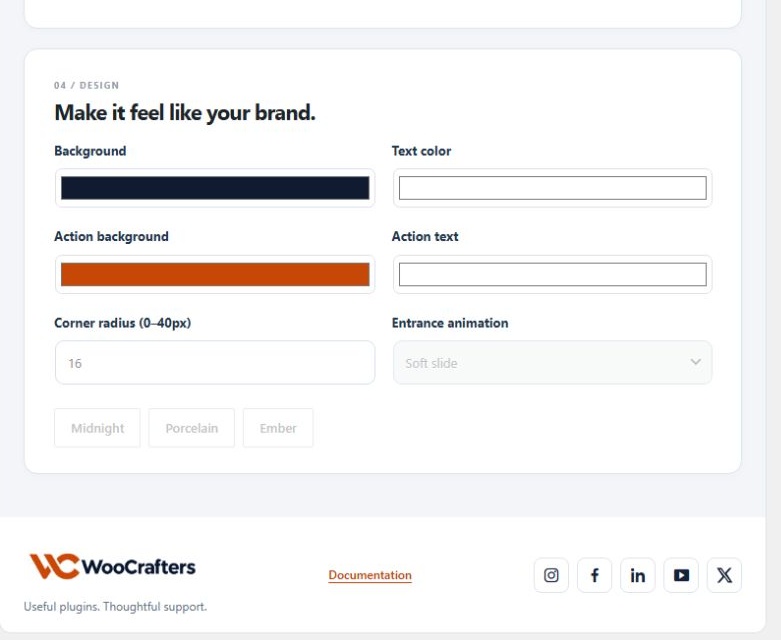
Design and accessibility
Choose brand colors, action colors, radius, modal width, and slide, fade, or no entrance animation. Presets provide a starting point. The contrast indicator checks configured text/action color pairs against 4.5:1; it is not a complete accessibility audit. Modals trap focus while open, restore focus on close, and support Escape. Reduced-motion preferences are respected. Always inspect your actual theme at desktop and mobile widths.
Manage campaigns
Search campaigns, filter by format or status, and use paginated results. Enable/disable controls change delivery status. Duplicates are paused. Delete Banner moves a campaign to Trash; restoring it keeps it paused. Permanent deletion is available only from Trash and removes that campaign’s aggregates. Global defaults affect new campaigns, not existing ones.
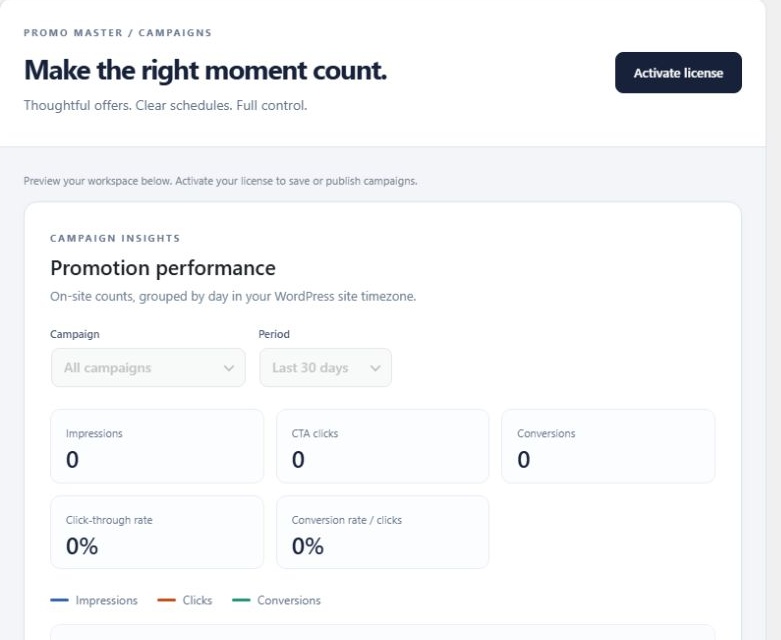
Analytics: what is counted
Daily aggregate impressions, CTA clicks, and configured confirmation-page conversions are stored locally. Reports offer 7, 30, and 90-day windows and individual, active, or all-campaign filters. An impression requires at least half of a promotion to be visible in an active tab. A conversion requires a preceding campaign CTA click followed by the exact configured confirmation path, in the same browser tab/session within 24 hours. Refreshing the conversion page does not repeat that attribution.
Counts are approximate browser events. They are not verified purchases, unique people, or revenue. Ad blockers, storage restrictions, cached pages, bots, and new-tab/external journeys can affect counts. Public event collection validates campaign/path/status and applies rate limiting; it cannot prove a transaction. Disable analytics in Settings to stop new counts while retaining historical totals.
Privacy and services
No third-party analytics or frontend asset service is required. The analytics table stores campaign ID, date, and counts, not raw IP addresses. Rate limiting stores a keyed network hash in a transient for up to one hour. Dismissal and attribution use browser storage. Add appropriate disclosures to your site’s privacy/cookie information.
Optional support activation sends the license key, site URL, product name or ID, and WordPress environment to https://woocrafters.com/ over HTTPS. Nothing is sent before activation. Saved keys are checked twice daily; the administrator display masks the key. Deactivate to release a site activation. A failed deactivation retains the key so it can be retried. No credentials are embedded in the release. The license module validates entitlement; this release does not install updates automatically. Obtain eligible ZIP updates from your WooCrafters account.
Activate and manage your support license
- Open Promo Master → Settings & License and scroll to License.
- Enter your 32-character WooCrafters purchase key and select Activate license.
- Review status and expiry. Use Refresh status after renewal or Retry activation if verification failed.
- Before moving a license, select Deactivate this site, then activate it on the new installation.
Purchase, documentation and account links are available in this section. An administrator reminder appears on each admin page while the license is inactive; dismissing it closes it for that page only. Campaign delivery remains independent of support licensing.
License plans and support terms
Every tier includes the same campaign features. Site counts describe support-license activation limits, not a restriction on GPL rights. Annual options provide 12 months of updates and support, with renewal by a new purchase unless checkout explicitly states otherwise. Lifetime options provide updates and support for the supported lifetime of Promo Master; they do not guarantee perpetual company operation or compatibility with every future platform.
| Tier | Sites | Update/support term | USD |
|---|---|---|---|
| Solo Annual | 1 | 12 months | 49 |
| Studio Annual | 5 | 12 months | 99 |
| Agency Annual | 25 | 12 months | 199 |
| Solo Lifetime | 1 | Product lifetime | 149 |
| Studio Lifetime | 5 | Product lifetime | 299 |
| Agency Lifetime | 25 | Product lifetime | 599 |
Support
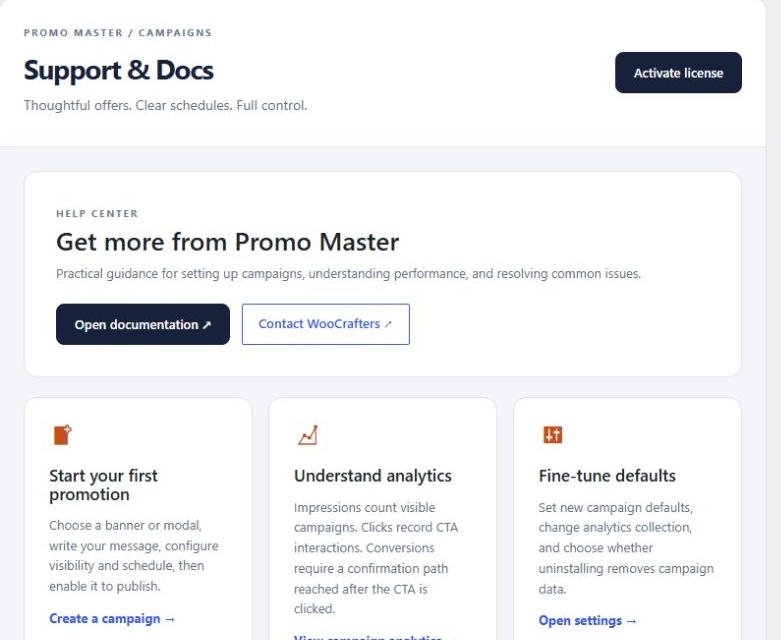
Email support@woocrafters.com with the plugin, WordPress, PHP, theme versions, steps to reproduce, and a redacted screenshot. Exclude credentials, customer data, and full license keys.
Changelog
Version 1.0.0 — Initial release
Initial release of Promo Master, a standalone WordPress promotion plugin.
- Create announcement banners and dismissible modals with a live preview.
- Schedule campaigns with fixed start and end times and an animated flip countdown.
- Target promotions by URL path, audience and device.
- Customize colors, corner radius, entrance animation and sticky banner behavior.
- Track aggregate impressions, CTA clicks and configured confirmation-page conversions.
- Manage campaign status, license activation and plugin settings from dedicated admin pages.